Shopify Theme vs Custom Build: The Real Cost Breakdown
Published
Should you buy a $300 premium theme or invest $10,000 in custom development? The answer isn't what most agencies will tell you. Here's the honest breakdown with real project data.
Every Shopify store owner faces this decision: grab a beautiful premium theme for $200-400, or invest thousands in custom development?
Most agencies have a bias. Theme-based agencies will tell you themes are fine. Custom development agencies (like us) will push custom. But the truth is more nuanced.
I've built stores both ways. I've seen premium themes work beautifully for some businesses and fail miserably for others. I've seen custom builds deliver 10x ROI and I've seen them be wasteful overkill.
This guide breaks down the real costs, benefits, and trade-offs so you can make an informed decision for your specific situation.
The Real Cost Comparison
Let's start with the obvious: upfront costs. But we'll also look at the hidden costs most people miss.
| Cost Factor | Premium Theme | Custom Build |
|---|---|---|
| Upfront Cost | $200-$400 | $5,000-$15,000 |
| Setup Time | 1-2 weeks (DIY) 2-4 weeks (agency) | 4-8 weeks |
| Apps Needed | 5-15 apps $50-300/month | 0-5 apps $0-100/month |
| Page Speed | 3-7 seconds (with optimisations: 2-4s) | 1-3 seconds (optimised from start) |
| Customisation Limits | Moderate-High (theme structure constraints) | None (complete flexibility) |
| Ongoing Maintenance | Theme updates App compatibility issues | Minimal Full control |
| Conversion Rate (Typical) | 1.5-2.5% | 2.5-4.5% |
| Year 1 Total Cost | $800-$4,000 | $5,000-$16,000 |
| Year 3 Total Cost | $2,000-$11,000 | $5,000-$18,000 |
Notice something? By year 3, the costs start to converge. And that's before factoring in the most important variable: revenue impact.
Premium Themes: When They Work
Premium themes aren't inherently bad. For certain businesses, they're the smart choice. Here's when:
Best For:
- Brand new stores: Testing product-market fit, don't know if the business will work yet
- Limited budget: Less than $5,000 total to invest in the entire store
- Simple product lines: 10-50 similar products, straightforward selling
- Fast launch needed: Need to be live in 2-4 weeks maximum
- Standard e-commerce needs: Nothing unique or complex about your sales process
Real Example: When a Theme Works
A jewellery designer launching her first online store. She has 20 products, needs to test if people will buy online, and has a $3,000 budget. A well-chosen premium theme gets her to market in 3 weeks. She can always upgrade later if the business takes off.
The Catch: Hidden Costs
That $300 theme seems cheap, but here's what most people don't factor in:
Hidden Theme Costs:
-
Apps to fill gaps: $50-300/month
Product bundles, custom fields, advanced filters, reviews, email capture, analytics, etc.
-
Developer customisation: $500-3,000
Making the theme match your brand, custom sections, layout changes
-
Performance optimisation: $1,000-2,000
Themes are bloated. Cleaning up unused code, optimising images, improving speed
-
Lost revenue from slow performance
Most theme-based stores load in 4-7 seconds. That's killing your conversion rate.
Suddenly that $300 theme has cost you $5,000+ in year one, plus ongoing app fees. And you still have a slow, generic-looking store that converts at 1.5-2%.
Custom Builds: When They're Worth It
Custom development costs more upfront, but the ROI can be dramatic. Here's when it makes sense:
Best For:
- Established businesses: Already doing $10k+/month, know the business works
- Complex products: Product bundles, customisation, subscriptions, complex variants
- Unique requirements: Features no theme offers, specific customer workflows
- Performance-critical: High traffic, every 100ms matters for revenue
- Long-term growth: Building a sustainable 6-7 figure business
- Brand differentiation: Need to stand out from competitors using the same themes
Real Example: When Custom Pays Off
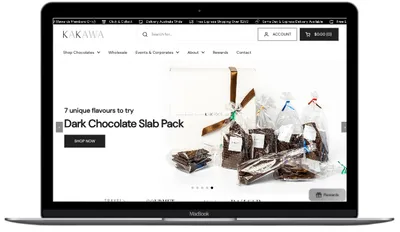
Kakawa Chocolates was doing $40k/month but their 2011 website with a slow theme was holding them back. They invested $8,500 in a custom rebuild. Within 3 weeks, conversion rate increased 64% and AOV grew 60%. The investment paid for itself in under 30 days.
The Advantages
⚡ Performance
Custom builds are lean—only the code you need. No bloated theme carrying features you'll never use.
Result: Sub-3-second load times standard
🎯 Built for Conversion
Every element designed specifically to increase your conversion rate, not look pretty in a theme demo.
Result: 2.5-4.5% conversion rates typical
💰 Fewer Apps Needed
Build features into the theme instead of relying on expensive monthly apps.
Result: Save $50-300/month in app costs
🔧 Complete Control
Want to change something? You own the code. No theme limitations, no waiting for developer to update.
Result: Adapt quickly to market changes
The ROI Math That Matters
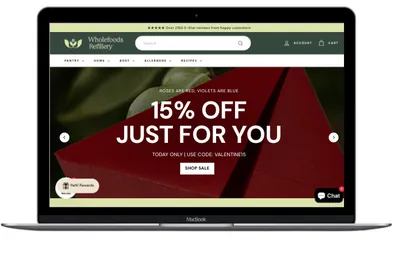
Let's look at a real scenario based on my Wholefoods Refillery case study:
Scenario: $50k/month Revenue Store
Option A: Stick with Premium Theme
- Current conversion rate: 2.0%
- Monthly revenue: $50,000
- Ongoing app costs: $200/month
- Slow performance losing 10-15% potential sales
Option B: Invest in Custom Build
- Investment: $10,000
- New conversion rate: 3.2% (60% increase - conservative based on my data)
- New monthly revenue: $80,000
- App costs reduced to: $50/month
Financial Impact:
- • Revenue increase: +$30,000/month
- • App savings: $150/month ($1,800/year)
- • ROI timeline: Investment recovered in 0.3 months (10 days)
- • Year 1 additional profit: +$360,000
This isn't hypothetical. Wholefoods saw 62% order growth and 47% revenue increase within 6 months of their custom rebuild. The $12,000 investment was recovered almost immediately.
The Middle Ground: Customised Themes
There's a third option many people don't consider: starting with a lightweight theme (like Shopify's free Dawn theme) and heavily customising it.
This Works When:
- You have some budget ($3,000-7,000) but not enough for full custom
- Your needs are mostly standard with a few custom requirements
- You're willing to sacrifice some uniqueness for faster launch
- Performance is important but you can live with "good" vs "excellent"
Typical approach:
- Start with Dawn theme (free, lightweight, fast)
- Hire developer to customise sections you need
- Build 1-2 custom features
- Optimise for performance
- Cost: $3,000-7,000
- Timeline: 3-5 weeks
This gives you better performance than a bloated premium theme, some customisation, and keeps costs reasonable. It's not as fast or unique as full custom, but it's a solid middle ground.
Performance: The Hidden Revenue Killer
We've mentioned performance multiple times. Here's why it matters so much:
Performance Impact on Revenue
Google research shows that every 100ms delay in page load time reduces conversions by 7%.
Example: Store doing $100k/month
- • Premium theme: 5-second load time
- • Custom build: 2-second load time
- • Difference: 3 seconds = 3000ms
- • Conversion impact: 3000ms ÷ 100ms × 7% = 210% potential conversion loss
- • Monthly revenue loss: ~$30,000-50,000
When we rebuilt Senserobot with 100% custom code, we achieved sub-1-second desktop load times despite video-heavy content. A premium theme with all those videos? Would have been 8-10 seconds minimum.
How to Decide: A Simple Framework
Use this decision tree to figure out what's right for your business:
Decision Framework:
✅ Choose a Premium Theme if:
- Monthly revenue: Under $10k
- Budget: Under $3,000
- Timeline: Need live in under 3 weeks
- Products: Simple, standardised
- Testing: Still validating business model
💎 Choose Customised Theme if:
- Monthly revenue: $10k-30k
- Budget: $3,000-7,000
- Timeline: 3-5 weeks acceptable
- Products: Mostly standard with some unique needs
- Growth: Ready to scale but need to be budget-conscious
🚀 Choose Custom Build if:
- Monthly revenue: $30k+
- Budget: $8,000-15,000
- Timeline: 4-8 weeks acceptable
- Products: Complex, customisable, or unique
- Growth: Building a long-term, scalable business
- Performance: Speed is critical to your conversion rate
- Brand: Need to stand out from competitors
Common Mistakes to Avoid
1. Choosing Based on Upfront Cost Alone
A $300 theme that costs you $3,000/month in lost sales isn't cheap—it's expensive. Always calculate the total cost including lost revenue from poor performance.
2. Going Custom Too Early
If you're doing $2,000/month in revenue, spending $10,000 on custom development is premature. Prove the business model first, then invest in optimisation.
3. Staying with a Theme Too Long
Once you're doing $30k+/month and your conversion rate is stuck at 1.5-2%, you're leaving massive money on the table. A custom build could double your revenue overnight.
4. Choosing Themes by Looks Alone
That theme looks beautiful in the demo, but how fast is it? What's the code quality? How many features will you actually use? Pretty doesn't equal profitable.
5. Not Factoring in App Costs
"I'll just add apps for features I need" sounds reasonable until you're paying $300/month for 10 apps that slow your site to a crawl and create compatibility nightmares.
The Bottom Line
Neither premium themes nor custom builds are universally "better." The right choice depends entirely on your specific situation.
If you're just starting: Grab a lightweight theme or use Shopify's free Dawn theme. Prove your business model first.
If you're doing $10-30k/month: Consider a customised theme approach—better than stock, more affordable than full custom.
If you're doing $30k+/month: Custom development will likely pay for itself in weeks. Every month you delay is leaving thousands on the table.
The math is simple: If a custom build increases your conversion rate by even 30-50% (conservative based on our case studies), and you're doing decent revenue, the ROI is immediate and massive.
Don't let the upfront cost scare you. Look at the total cost over 1-3 years and, most importantly, look at the revenue you're losing right now.
See Real Custom Build Results
Don't take our word for it. See the actual numbers from stores we've rebuilt with custom development.