Why Your Shopify Store is Slow (And How to Fix It)
Published
Your Shopify store's slow load times are costing you sales. Every second of delay reduces conversions by 7%. Here's why it's happening and exactly how to fix it.
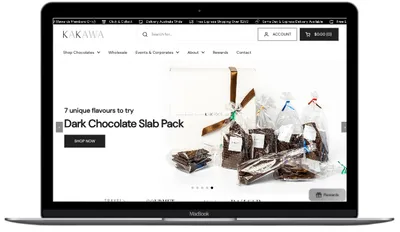
We recently rebuilt Kakawa Chocolates' Shopify store, reducing their load time from 5 seconds to 1.5 seconds. The result? A 64% increase in conversion rate within 3 weeks.
Speed isn't just a nice-to-have—it's directly tied to revenue. Google research shows that 53% of mobile users abandon sites that take longer than 3 seconds to load. For e-commerce, every 100ms delay in load time reduces conversions by 7%.
If your Shopify store loads slowly, you're not just frustrating customers—you're literally watching money disappear. Let's fix that.
The Real Cost of a Slow Store
Before we dive into solutions, let's understand what slow performance is actually costing you:
Example: A Store with 10,000 Monthly Visitors
Current scenario (5-second load time):
- Conversion rate: 1.5%
- Monthly orders: 150
- Average order value: $80
- Monthly revenue: $12,000
After speed optimisation (under 2 seconds):
- Conversion rate: 2.5% (conservative 67% increase)
- Monthly orders: 250
- Average order value: $80
- Monthly revenue: $20,000
Lost opportunity: $8,000/month = $96,000/year
This isn't theoretical. When we optimised The Wholefoods Refillery, reducing load times from 4.5 seconds to 1.9 seconds, they saw a 62% increase in orders within 6 months.
7 Reasons Your Shopify Store is Slow
1. Bloated Premium Themes
Premium Shopify themes look beautiful in demos, but they're typically loaded with features you'll never use. That trendy $300 theme? It's probably carrying 500KB+ of CSS and JavaScript for parallax effects, mega menus, countdown timers, and other features you don't need.
Real Example:
Kakawa Chocolates was using a premium theme with 47 different page sections available. They used 6. The other 41 were dead weight—loading CSS and JavaScript that slowed every page load.
The Fix:
- Use a lightweight theme like Shopify's Dawn (free and fast)
- Or go custom-built with only the features you actually need
- Remove unused theme sections and features
- Minify and compress remaining CSS/JS
2. Unoptimised Images
Images are typically the #1 performance killer on e-commerce sites. A single unoptimised product photo can be 3-5MB. Multiply that by 10-20 images per page, and you're forcing customers to download 50MB+ before they can even browse.
Image Optimisation Checklist:
- Convert to WebP format (60% smaller than JPEG)
- Compress images (aim for under 100KB per image)
- Implement lazy loading for below-the-fold images
- Use responsive images (srcset) for different screen sizes
- Set proper dimensions in HTML (prevents layout shift)
When we rebuilt Senserobot's store, we implemented all these optimisations despite the site being video-heavy. Result: sub-1-second desktop load times.
3. Too Many Apps
Shopify apps are convenient, but each one adds code to your store. That innocent-looking review app? It's loading 200KB of JavaScript on every page, even pages without reviews.
I've seen stores with 20+ apps installed. Each app loads its own CSS, JavaScript, and sometimes external resources. The cumulative effect can add 3-5 seconds to your load time.
The Fix:
- Audit your apps—do you actually use all of them?
- Remove apps for features you can build into your theme
- Look for lightweight alternatives (not all apps are created equal)
- Consider custom development for critical features
Pro Tip:
For Kakawa Chocolates, we built a custom "Build-a-Box" feature directly into the theme instead of using a $30/month app. This saved them $360/year AND improved page speed by 2 seconds.
4. Render-Blocking Resources
When a browser loads your page, it has to download and process CSS and JavaScript before it can show anything to the user. Files that "block rendering" force the browser to wait, creating that frustrating white screen delay.
Common culprits:
- Google Fonts loading synchronously
- Non-critical CSS in the head
- JavaScript that could load asynchronously
- Third-party analytics and tracking scripts
The Fix:
- Inline critical CSS (the CSS needed for above-the-fold content)
- Defer non-critical CSS with media queries
- Load JavaScript with async or defer attributes
- Load fonts with font-display: swap
5. No Content Delivery Network (CDN)
If your server is in the US and your customer is in Australia, their request has to travel halfway around the world and back. That's a lot of latency.
A CDN stores copies of your store's static files (images, CSS, JavaScript) on servers worldwide. When someone visits your store, they get files from the nearest server.
Good news: Shopify includes Cloudflare CDN by default, so you're covered. But if you're hosting assets elsewhere (like custom videos or large PDFs), make sure they're also on a CDN.
6. Slow External Scripts
Every external service you integrate—Facebook Pixel, Google Analytics, chat widgets, pop-ups, review platforms—makes additional requests to external servers. If those services are slow, your site is slow.
The Fix:
- Load analytics and tracking scripts asynchronously
- Lazy-load chat widgets (don't load until user scrolls)
- Use Google Tag Manager to consolidate tracking scripts
- Audit third-party scripts regularly—remove what you don't use
7. Poor Mobile Optimisation
Over 70% of Shopify traffic comes from mobile devices, yet many stores treat mobile as an afterthought. If your desktop site loads in 2 seconds but your mobile site takes 6, you're losing most of your potential customers.
Mobile devices have less processing power, slower connections, and smaller screens. What works on desktop might crawl on mobile.
The Fix:
- Build mobile-first (design for mobile, then scale up)
- Test on actual mobile devices, not just browser dev tools
- Reduce mobile-specific image sizes
- Minimise tap targets and simplify navigation
- Remove unnecessary animations on mobile
Real Result:
When we rebuilt The Wholefoods Refillery with a mobile-first approach, their mobile bounce rate dropped from 78% to 42%. That's 36% more mobile visitors actually browsing products.
How to Test Your Store's Speed
Before you start optimising, you need to know where you stand. Here are the best tools for testing Shopify performance:
1. Google PageSpeed Insights
The gold standard. Visit pagespeed.web.dev, enter your store URL, and get detailed performance metrics plus specific recommendations.
What to look for:
- Performance score: Aim for 90+ on desktop, 70+ on mobile
- Largest Contentful Paint (LCP): Should be under 2.5 seconds
- First Input Delay (FID): Should be under 100ms
- Cumulative Layout Shift (CLS): Should be under 0.1
2. GTmetrix
GTmetrix gives you a waterfall view showing exactly which files are loading and how long each takes. Great for identifying specific bottlenecks.
3. Shopify's Online Store Speed Report
In your Shopify admin, go to Online Store → Themes → "...more actions" → View Speed Report. This shows how your store performs compared to other Shopify stores.
What to Do Right Now
Feeling overwhelmed? Start with these three high-impact fixes you can do today:
Today's Action Plan (2 hours)
1. Compress Your Images (30 minutes)
Download TinyPNG or use Squoosh to compress all your product images. Upload the compressed versions to Shopify.
Expected improvement: 1-2 seconds faster
2. Remove Unused Apps (45 minutes)
Go through your installed apps. If you haven't used it in 30 days, delete it. Then run a speed test before and after to see the improvement.
Expected improvement: 0.5-3 seconds faster
3. Enable Lazy Loading (45 minutes)
If your theme doesn't have lazy loading enabled, add loading="lazy" to all image tags below the fold. Most modern themes have this built-in, but check your product pages.
Expected improvement: 0.5-1 second faster
When to Get Professional Help
Some speed issues are easy DIY fixes. Others require technical expertise. Consider getting professional help if:
- You've done the basics but still load in 5+ seconds
- Your theme is fundamentally slow and needs replacement
- You need custom features built without bloated apps
- Your mobile experience is poor despite desktop being fine
- You're losing significant revenue to slow performance
A complete store rebuild might sound expensive, but if you're doing $10k+/month in revenue, the ROI pays for itself in weeks. Kakawa Chocolates invested $8,500 and saw a 64% conversion increase—they recovered their investment in under 30 days.
The Bottom Line
Speed isn't a technical nice-to-have—it's a direct revenue driver. Every 100ms matters. Every second of delay costs you customers and sales.
Start with the quick wins: compress images, remove unused apps, enable lazy loading. Those three changes alone can cut your load time in half.
If you're still struggling after the basics, it might be time for a more comprehensive rebuild. The data from our case studies is clear: fixing performance issues delivers immediate, measurable ROI.
Your slow store isn't just annoying—it's expensive. Fix it today, and watch your conversion rate climb tomorrow.
See Real Performance Results
Want to see exactly what's possible when you optimise for speed? Check out our detailed case studies showing before/after metrics.