Why Is My Shopify Store Not Converting? 12 Reasons (And How to Fix Them)
Published
You're getting traffic. People are landing on your store. But they're not buying. If this sounds familiar, you're not alone — and the problem is almost certainly fixable. Here's what I've found after auditing 250+ Shopify stores.
The average Shopify store converts at around 1.5%. That means for every 100 visitors, 98 or 99 of them leave without buying anything. Most store owners respond by spending more on ads — driving more traffic to a store that still doesn't convert. It's an expensive way to solve the wrong problem.
The real question isn't "how do I get more traffic?" It's "why aren't the people already visiting my store buying from me?"
After auditing over 250 Shopify stores, I've seen the same conversion killers appear again and again. Some are obvious. Some are subtle. All of them are fixable. Here are the 12 most common reasons your Shopify store isn't converting — and exactly what to do about each one.
1. Your Homepage Doesn't Immediately Explain What You Sell
You have approximately 3 seconds to tell a new visitor what you sell, who it's for, and why they should care. Most Shopify homepages fail this test completely.
Common offenders: vague taglines like "Premium quality for everyone", hero sections that show lifestyle photography with no product visible, or headlines that focus on brand story instead of customer benefit.
❌ What I see constantly:
"Crafted with love. Built for life."
A visitor has no idea what you sell from this. They'll leave.
✅ What actually works:
"Australian-made leather wallets that last 20 years. Free shipping over $100."
What it is, who it's for, and a reason to buy — in one sentence.
The fix: Test your homepage with someone who's never seen your store. Ask them: "After 5 seconds on this page, what do I sell?" If they can't answer confidently, rewrite your hero headline. Start with the product, not the brand.
2. Your Product Pages Don't Answer the Questions People Have Before They Buy
Product pages are where most conversion decisions are made — and most product pages are woefully underprepared for the job. They have a product name, a few bullet points, and a price. That's not enough information for someone to hand over their money.
Think about what's going through a customer's head when they land on your product page. They're asking: Does this actually fit what I need? What does it look like in real life? What do other people think of it? What happens if it doesn't work out? Is this a trustworthy place to buy?
The fix: For each product, write descriptions that answer the real questions — not just what the product is, but what problem it solves, who it's for, how it compares to alternatives, and what to expect after purchase. Add multiple photos showing the product in context, in use, and at different angles. Include size guides, materials, or specifications wherever relevant.
3. You Don't Have Enough Social Proof — Or It's in the Wrong Place
Reviews are one of the most powerful conversion tools available to any ecommerce store. They're also consistently underused, poorly placed, or absent entirely.
Showing 3 reviews buried at the bottom of a product page isn't enough. Social proof needs to be visible early, placed where doubt enters the buyer's mind, and substantial enough to be convincing.
Where social proof should appear on your store:
- Homepage hero: "Rated 4.9 stars by 2,400 customers"
- Near the add-to-cart button: Star rating with review count
- Product page body: 2–3 featured reviews with photos
- Cart page: A reminder that others love this product
- Homepage body: A dedicated testimonials section
The fix: Set up an automated post-purchase email asking for reviews (Okendo and Judge.me both do this well). Offer a small incentive like 10% off their next order. Display your best reviews prominently — near the buy button, not buried below the fold.
4. Visitors Don't Trust You Enough to Hand Over Their Money
Every first-time visitor to your store is taking a risk. They don't know you. They've never bought from you. They're wondering: Is this store legitimate? Will my order actually arrive? What if it's not what I expected?
Trust signals are the antidote. They're the visual and written elements that tell a stranger "we're a real business, and we'll look after you."
Trust signals checklist:
- ☐ Clear return and refund policy (visible, not buried in footer)
- ☐ Secure payment badges near the checkout button
- ☐ Australian business address or phone number
- ☐ Shipping timeframes stated clearly before cart
- ☐ Professional photography (not stock photos)
- ☐ About page that shows the real humans behind the brand
- ☐ Social media presence that's active and recent
- ☐ Press mentions or media features
The fix: Do a trust audit of your store from the perspective of a first-time visitor who knows nothing about you. What questions would you have? What would make you hesitate? Address every one of those hesitations proactively on the page.
5. Your Store Is Too Slow
Page speed is one of the most underestimated conversion killers in ecommerce. Research consistently shows that every additional second of load time reduces conversions — some studies put this at 7% per 100 milliseconds. For context, most Shopify stores load in 4–7 seconds. That's a lot of lost revenue.
The culprits are usually: too many apps (each one adds JavaScript that slows the page), large unoptimised images, and bloated premium themes that load features you've never turned on.
The fix: Test your store speed at PageSpeed Insights and GTmetrix. Focus on: compressing images to WebP format, auditing your app list and removing anything you don't actively use, and asking a developer to remove unused theme code. A target of under 3 seconds on mobile is achievable for most stores.
Real result from our work:
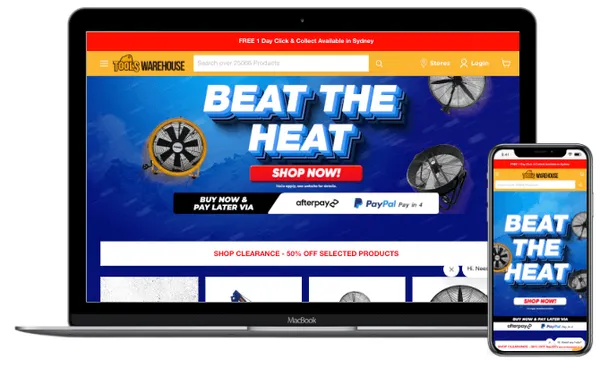
When we rebuilt Tools Warehouse, load time dropped by 55%. That single improvement was a significant contributor to the 39% conversion rate increase that followed.
6. Your Mobile Experience Is Broken (Or Just Bad)
Over 65% of Shopify traffic comes from mobile devices. If your store doesn't convert well on a phone, you're losing the majority of your potential customers — regardless of how good your desktop experience is.
Common mobile issues we find in audits: text too small to read without zooming, buttons too close together to tap accurately, product images that don't display properly at mobile size, and checkout forms that are difficult to complete on a small screen.
The fix: Do a full walkthrough of your store on your own phone — not in a browser simulator, but on an actual device. Go through the entire purchase journey from homepage to checkout confirmation. Write down every point of friction you encounter. Then fix them in order of how much they interrupt the path to purchase.
7. Your Pricing Isn't Framed Correctly
Price is almost never the real objection. The real objection is perceived value — the visitor doesn't yet believe your product is worth what you're charging. This is a communication problem, not a pricing problem.
The way you present your price matters as much as the price itself. Showing $120 next to a $200 "original price" feels different from just showing $120. Showing $4/day feels different from $120/month. Showing what the product replaces (and what that costs) frames value completely differently.
The fix: On your highest-converting products, test different price framing. Show the value of what you're replacing. Break annual prices into daily or monthly amounts. Display "you save $X" next to any sale prices. If you have a premium tier, lead with it — it makes mid-tier options look like better value by comparison.
8. Your Checkout Has Too Much Friction
Cart abandonment rates average around 70% across ecommerce — and a significant portion of that happens because the checkout process itself is unnecessarily difficult. Every extra field, every required account creation, every unexpected shipping cost is an opportunity for a customer to abandon their purchase.
Checkout friction we see most often:
- • Forcing account creation before purchase
- • Showing shipping costs only at the final checkout step
- • Too many form fields (asking for phone number when it's not needed)
- • Limited payment options (no Apple Pay, Google Pay, or Afterpay)
- • No progress indicator showing how many steps remain
- • No trust signals visible during checkout
The fix: Enable Shopify's one-page checkout if you haven't already. Add Shop Pay, Apple Pay, and Google Pay. Make guest checkout the default option. Display your return policy and security badges prominently during checkout. And critically — state your shipping costs clearly before someone reaches checkout. Surprise shipping costs at the end are one of the most common reasons people abandon.
9. You're Sending the Wrong Traffic
Sometimes a conversion problem isn't a conversion problem — it's a traffic problem. If you're getting 1,000 visitors a month but only 5 sales, it's worth asking: are those 1,000 visitors actually your target customer?
Paid traffic from broad audiences, SEO content targeting the wrong keywords, and social media followers who like your content but would never buy — all of these inflate traffic numbers without improving sales.
The fix: Look at your traffic sources in Google Analytics and ask: which channels produce buyers, not just visitors? Double down on those. Check your paid ad targeting — are you reaching people with purchase intent, or just people who might find your content interesting? A smaller audience of the right people will always convert better than a large audience of the wrong ones.
10. There's No Urgency or Reason to Buy Today
"I'll come back to this later" is the death of ecommerce conversions. Without a reason to buy now, most visitors will intend to return and never do. Research suggests that if someone doesn't buy on their first visit, there's an 80% chance they never come back.
Urgency and scarcity — when used honestly — are among the most effective conversion tools available. Low stock notices, limited-time offers, sale countdowns, and exclusive deals for email subscribers all create reasons to act now rather than later.
The fix: If your products genuinely have limited stock, say so. Show "Only 3 left" when it's true. Run periodic sales with real end dates and display a countdown. Offer a first-purchase discount in exchange for an email address — and make it clear the offer expires. Never fabricate urgency; it destroys trust when customers notice. But genuine urgency, communicated clearly, moves sales forward dramatically.
11. You're Not Capturing People Who Aren't Ready to Buy Yet
Most first-time visitors to any ecommerce store aren't ready to buy immediately. They're researching, comparing, considering. If your store's only conversion goal is "add to cart", you're losing the majority of people who could eventually become customers.
An email list is the most valuable asset a Shopify store can build. It lets you stay in front of people after they leave your store, re-engage them when you have new products or sales, and build the relationship that eventually converts a browser into a buyer.
The fix: Set up an email capture with a genuine incentive — 10–15% off a first order is standard and effective. Trigger it after someone has spent 30–60 seconds on your site (not immediately on arrival). Add a footer signup with a compelling reason to subscribe. Then use an email flow — at minimum a welcome sequence of 3–5 emails — to introduce new subscribers to your brand, your products, and why they should trust you.
12. You Haven't Done a Proper CRO Audit
The hardest part of fixing your own store's conversion rate is that you're too close to it. You know what everything means, you know where everything is, you know the backstory behind every product. A first-time visitor has none of that context — and what's obvious to you is often confusing to them.
A proper conversion rate optimisation audit looks at your store through the eyes of your customer: what's the first thing they see, what questions do they have, where do they hesitate, what pushes them away. It identifies specific issues with specific recommendations — not vague advice like "improve your product descriptions."
What a CRO audit covers:
- Homepage clarity and messaging
- Product page copy and information completeness
- Trust signals and social proof placement
- Cart and checkout friction points
- Mobile experience quality
- Page speed and performance
- Navigation and findability
- Email capture and retention
The fix: Get a professional audit from someone who has looked at hundreds of stores and knows what good looks like. The cost of a quality CRO audit pays for itself many times over in recovered revenue — especially for stores doing more than $10k/month.
How to Prioritise These Fixes
If you've identified multiple issues from this list — which is likely — don't try to fix everything at once. Prioritise based on where in the purchase journey the problem occurs and how many visitors it affects.
Fix in this order:
- 1. Homepage clarity — affects every single visitor
- 2. Page speed — affects every single visitor before they even see your content
- 3. Mobile experience — affects 65%+ of your visitors
- 4. Product pages — affects everyone who reaches a product
- 5. Trust signals and social proof — affects purchase decisions
- 6. Checkout friction — affects everyone who intended to buy
- 7. Email capture — recovers people who weren't ready to buy yet
The good news is that most of these fixes don't require a complete store rebuild. Many can be implemented in a day or two with the right focus. The stores that convert at 3–4% aren't doing anything magical — they've just systematically removed every barrier between a visitor and a purchase.
The Bottom Line
If your Shopify store isn't converting, the answer is almost never "get more traffic." It's "fix what's stopping people from buying."
Work through this list methodically. Start at the top of the funnel — what do people see first? — and work your way down to checkout. Fix the biggest friction points. Measure what changes. Repeat.
A 1% improvement in conversion rate on a store doing $50k/month is worth $6,000 in additional monthly revenue. The fixes are almost always worth the effort.
See What's Actually Possible
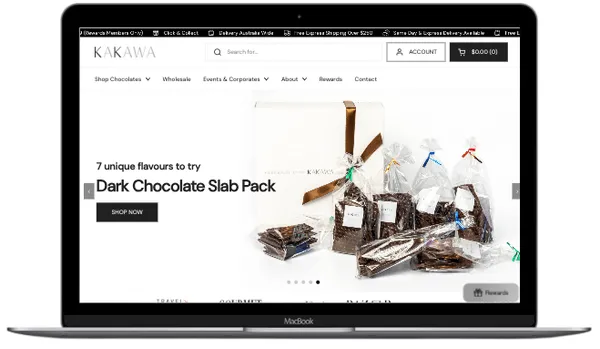
These aren't hypothetical improvements. Here are real stores we've helped convert more.